


Invoice Maker & Estimate App
4.65.05K Reviews
App Specs
- Version
- 1.4.80
- Updated On
- License
- Free
- Downloads
- 1,000,000+
- Developer
- Bookipi - Billing Estimate
- Categories
- Business
- Platform
- Android
Screenshots
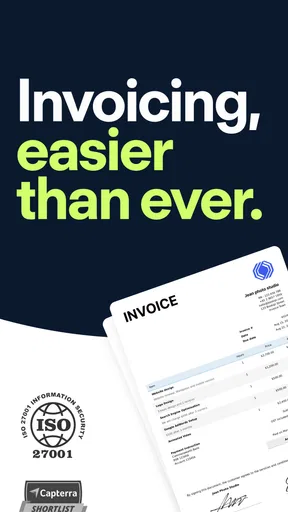

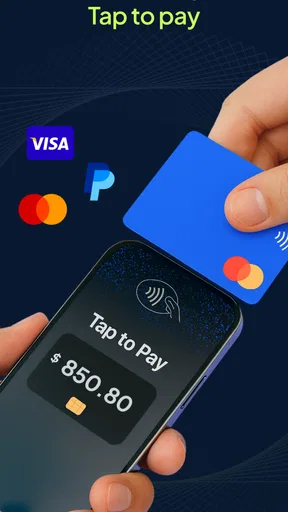
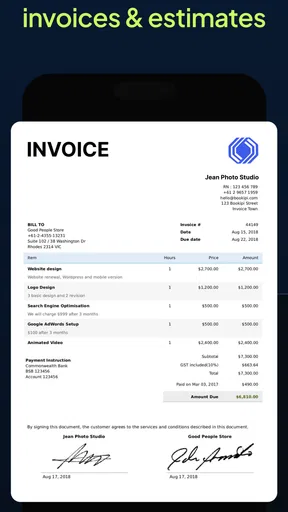
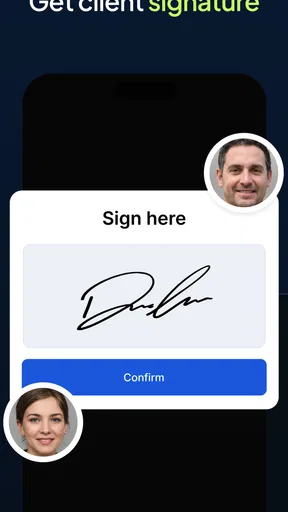
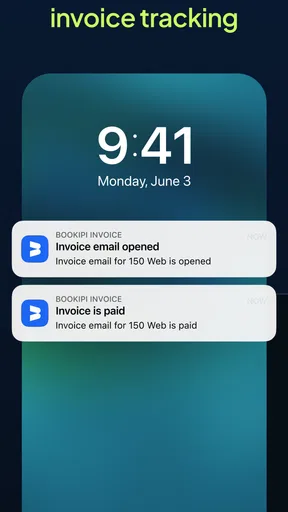
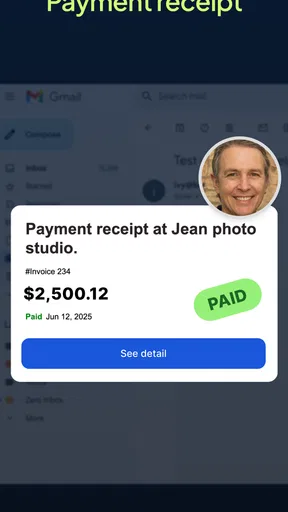
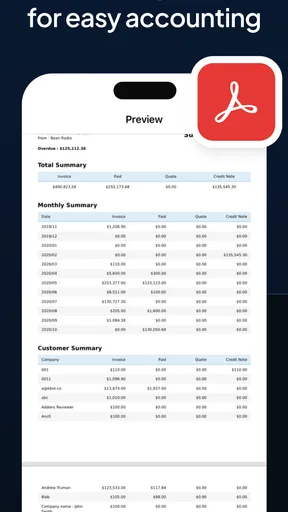
 Analysis by AppCompare
Ever had one of those moments where you’re scrambling to send an invoice, and you realize your trusty old spreadsheet just isn’t cutting it anymore? Yep, been there. That’s when I stumbled upon the Invoice Maker & Estimate App, and let me tell you, it’s like finding a much-needed shortcut for routine billing.
When a household device becomes a work tool
A shared phone or tablet can make invoice work convenient, but it also changes how I’d set things up. If I’m using a device that other people in the household borrow, I’d avoid leaving client details or draft invoices open on screen. Before handing the device over, I’d close the app and use the device’s own lock options. That’s a simple habit, not a special family feature, and it helps keep business records separate from everyday browsing.
This kind of app is most useful when one person is responsible for the work: a freelancer, a sole trader, or someone handling occasional paid jobs alongside other responsibilities. It can help that person prepare a bill after a repair, lesson, design task, or other service without opening a laptop. It is less suitable as a shared household ledger where several people need to approve spending, track chores, or manage family expenses. An invoicing tool is built around charging clients, not coordinating domestic budgets.
Getting Started with Invoice Maker & Estimate App
Setting up the Invoice Maker & Estimate App was a breeze. All you need is a few minutes, and boom—you’re ready to start billing like a pro. The app has a super clean interface, which I totally appreciate because who has time to figure out complicated software when you’ve got a business to run? You can easily add client info, products, and services, making invoicing less of a chore and more of a quick tick off your to-do list.
Bookipi - Billing Estimate develops this free business app. It is rated for Everyone, which describes its age category rather than making it a suitable tool for every child or a substitute for adult supervision. I’d treat the account and any customer information as belonging to the person running the business, especially on a device used by more than one person. The app has a 4.6 average from around 66,000 ratings and over a million installs, so it has clearly found an audience among people who want to handle billing on mobile.
Features That Make Life Easier
One of my favorite things about this app is its ability to create professional-looking invoices in just a few taps. You can customize everything from the logo to the color scheme, which is perfect if you’re like me and want everything to match your brand. Plus, they’ve got a neat feature where you can save items you frequently sell, so you’re not inputting the same data over and over again. Efficiency for the win!
That saved-item workflow is especially useful when your work includes repeat services with a few variable details. I’d set up the standard description and rate once, then check each new invoice carefully before sending it. A saved line can speed up entry, but it can also make an old price or description easy to reuse by mistake. For jobs with custom materials, changing quantities and wording before issuing the bill is worth the extra moment.
Worth Reading Before You Choose

EA SPORTS FC Mobile 26 Is a Bigger Football Game, but It Takes Time

Flipboard Shows What News Apps Must Do Beyond the Feed

Switching to Android Auto Means Rethinking Your Driving Routine

Google Calendar Makes a Crowded Week Easier to Manage

Ludo King Makes the Most of the Minutes Between Plans

Baby Panda World Brings Quick Play to Modern Phones, but Its Game Library Feels Busy
The app doesn’t stop at invoicing. Need to send an estimate? No problem! You can whip one up just as quickly, and when your client approves it, convert it into an invoice with a single tap. It’s like having an accounting assistant right in your pocket.
For a small job, that estimate-to-invoice path can prevent retyping the same work twice. I’d still make sure the final invoice reflects what actually happened: if the job scope changed, the original estimate may no longer describe the finished work accurately. Keeping that distinction in mind makes the convenience useful without treating a quick conversion as a substitute for checking the details.
Choosing the right level of bookkeeping
Compared with a spreadsheet, this app is geared toward producing client-facing estimates and invoices without building a document from scratch each time. A spreadsheet may be better if I want to analyze expenses, forecast cash flow, or design a highly customized reporting system. A dedicated accounting service may suit a business that needs broader bookkeeping and tax workflows. I see this app as the middle ground: practical for issuing routine billing documents, but not automatically a replacement for a full accounting process.
The app is free to start, with in-app purchases ranging from $7.49 to $174.99 per item. I’d check what a paid option includes and whether it addresses a real limit in my own workflow before paying. Someone who sends only an occasional invoice may be fine with a basic routine, while a busier operator should compare the available plan details with the number of documents and tools they actually need. The current version is 1.4.70, and it requires Android 8.0 or later.
User-Friendly and Time-Saving
What sets the Invoice Maker & Estimate App apart is its user-friendly nature. It’s intuitive, even if you’re not tech-savvy. The app also integrates with various payment gateways, so you can get paid faster. I mean, who doesn’t want that?
Payment options are a practical convenience, but I wouldn’t assume every gateway works the same way for every business or location. Before building a payment routine around one, I’d check which option is available to me and what the customer sees at checkout. If a client prefers another method, I’d keep the invoice clear about how they can pay rather than expecting the app alone to settle the conversation.
Another lifesaver? The automated reminders. Let’s be real, chasing clients for payments is not fun, but the app sends gentle nudges on your behalf. It’s like having a polite but firm assistant who keeps everyone on track.
Reminders can take some awkwardness out of follow-up, but timing and tone still matter. For a long-standing client or a payment that is already being discussed, I’d review the situation before relying on an automatic nudge. It’s also sensible to make sure the invoice date and payment expectation are right first; a reminder cannot fix unclear terms or an incorrect bill.
A realistic day-to-day workflow
Imagine I finish a small repair in the afternoon and the customer asks for a written estimate for one additional task. I can prepare the estimate while the details are fresh, then keep the approved work together with the billing step rather than reconstructing it later from messages. If the customer adds a part or changes the scope, I’d update the figures and description before converting the estimate. At the end, I’d review the recipient, line items, and total once more before sending. The time saved comes from avoiding repeated typing, not from skipping a careful check.
For household coordination, the useful boundary is clarity about who owns the business workflow. A partner might remind me that a client is waiting for a document, but I would not treat a shared device or a shared family account as a substitute for agreeing who can see or edit work records. If more than one person needs regular access to billing, I’d first check that the way we use the app fits the account and device arrangements we already have, rather than assuming it includes family-specific permissions.
Invoicing on the Go
Running a business often means being on the move, and the app’s mobile capabilities are spot on. Whether you’re at a café or waiting for a flight, you can manage all your invoicing needs right from your phone. It’s like having your office in your back pocket.
The practical win is being able to capture the billing task close to the moment the work is agreed or completed. I’d use a quiet pause to draft the document, then review it somewhere I can focus before sending. A crowded place or a hurried walk is not ideal for checking client names and amounts, especially when the phone is also used for personal messages and household tasks.
The app also offers cloud sync, which is a game-changer. You can access your invoices and estimates from any device, ensuring you’re always in the loop, no matter where you are.
That flexibility is helpful if I move between devices, but it makes basic account discipline more important, not less. I’d use the account that belongs to the person responsible for the business and avoid casually sharing sign-in access just because another household member sometimes borrows the phone. Before relying on a second device, I’d check that the same records appear as expected and that I’m working in the intended account.
Security and Reliability
Security is a big deal in the digital world, and the developers of this app get it. They’ve put in place stringent security measures to protect your data. Knowing that my business information is safe gives me peace of mind, and that’s priceless.
I still wouldn’t use a general sense of reassurance as a reason to leave customer information exposed on a shared screen. A device lock, closing the app when finished, and being deliberate about who uses the business account are sensible everyday precautions. If the phone is used by children for games or videos, I’d keep that activity separate from invoice work and avoid letting them handle live client documents.
Moreover, the app is reliable. I’ve yet to experience any glitches or crashes, which is impressive considering how some apps can be a bit hit or miss. The team behind it clearly knows what they’re doing.
My confidence in a billing routine would also depend on maintaining a separate record-keeping habit appropriate to my business. An invoice-making app can help prepare and manage documents, but I would not assume that using it alone covers every accounting, tax, or record-retention responsibility. If those needs are central to the work, I’d compare it with a fuller accounting product or ask a qualified professional what records I should keep.
Who will get the most from it
I’d recommend this app most readily to an independent worker who needs to make estimates and invoices from a phone, has recurring services or items, and values a straightforward document workflow. It can also suit someone who bills only now and then and would rather not maintain a spreadsheet template. The app’s free entry point makes it reasonable to explore, while the paid options mean it is worth checking costs before depending on a particular capability.
I’d skip it, or at least compare alternatives first, if I needed several household members to manage shared spending, a detailed accounting ledger, complex approval steps, or a highly customized reporting setup. Those needs call for a different kind of tool. I’d also be cautious if I expected a mobile invoice maker to resolve late-payment disputes by itself: reminders can prompt a client, but they cannot replace clear agreements and direct communication.
Final Thoughts
If you’re in the market for a straightforward, reliable, and efficient invoicing solution, the Invoice Maker & Estimate App is a solid choice. It’s designed to make your life easier, save you time, and help you get paid faster. The customization options and ease of use make it a standout in the crowded field of invoicing apps.
So, why not give it a shot? You might just find it’s the tool you’ve been missing in your entrepreneurial toolkit. Happy invoicing!
Pros
- User-friendly interface for quick navigation.
- Customizable templates for branding invoices.
- Supports multiple currencies for global use.
- Real-time sync across devices for convenience.
- Secure cloud backup to prevent data loss.
Cons
- Limited features in free version.
- Occasional ads disrupt workflow.
- Requires internet for most features.
- Limited customer support options.
- No offline template creation available.
FAQs for Invoice Maker & Estimate App
What features does the Invoice Maker & Estimate App offer?
The Invoice Maker & Estimate App provides a comprehensive suite of features including customizable invoice templates, automated reminders for due payments, expense tracking, and detailed financial reports. Additionally, it supports multiple currencies and tax settings, making it ideal for freelancers and small businesses operating globally.
Is the Invoice Maker & Estimate App user-friendly for beginners?
Yes, the app is designed with a user-friendly interface that is intuitive and easy to navigate. Beginners will find it simple to create invoices and estimates with step-by-step guidance. The app also offers tutorials and customer support to help users get started quickly and efficiently.
Can I use the app offline?
The Invoice Maker & Estimate App offers offline capabilities, allowing users to create and edit invoices without an internet connection. However, syncing data and sending invoices will require an internet connection. This feature ensures you can work on the go and update your records once you're back online.
How secure is my financial data on the app?
Security is a top priority for the Invoice Maker & Estimate App. It uses advanced encryption methods to protect your financial information and transaction data. Regular updates and security patches ensure that your data remains safe from unauthorized access and breaches, providing peace of mind for your business operations.
Is there a free version of the app available?
The Invoice Maker & Estimate App offers a free version with basic features suitable for small-scale use. For more advanced functionalities, such as unlimited invoicing and premium customer support, users can opt for a subscription plan. This tiered pricing structure allows flexibility based on your business needs.


